Super Back Office Platform Redevelopment
Redesigned core administration, reporting, and permission-management workflows for a large-scale gaming back-office platform while establishing reusable foundations for future product expansion.
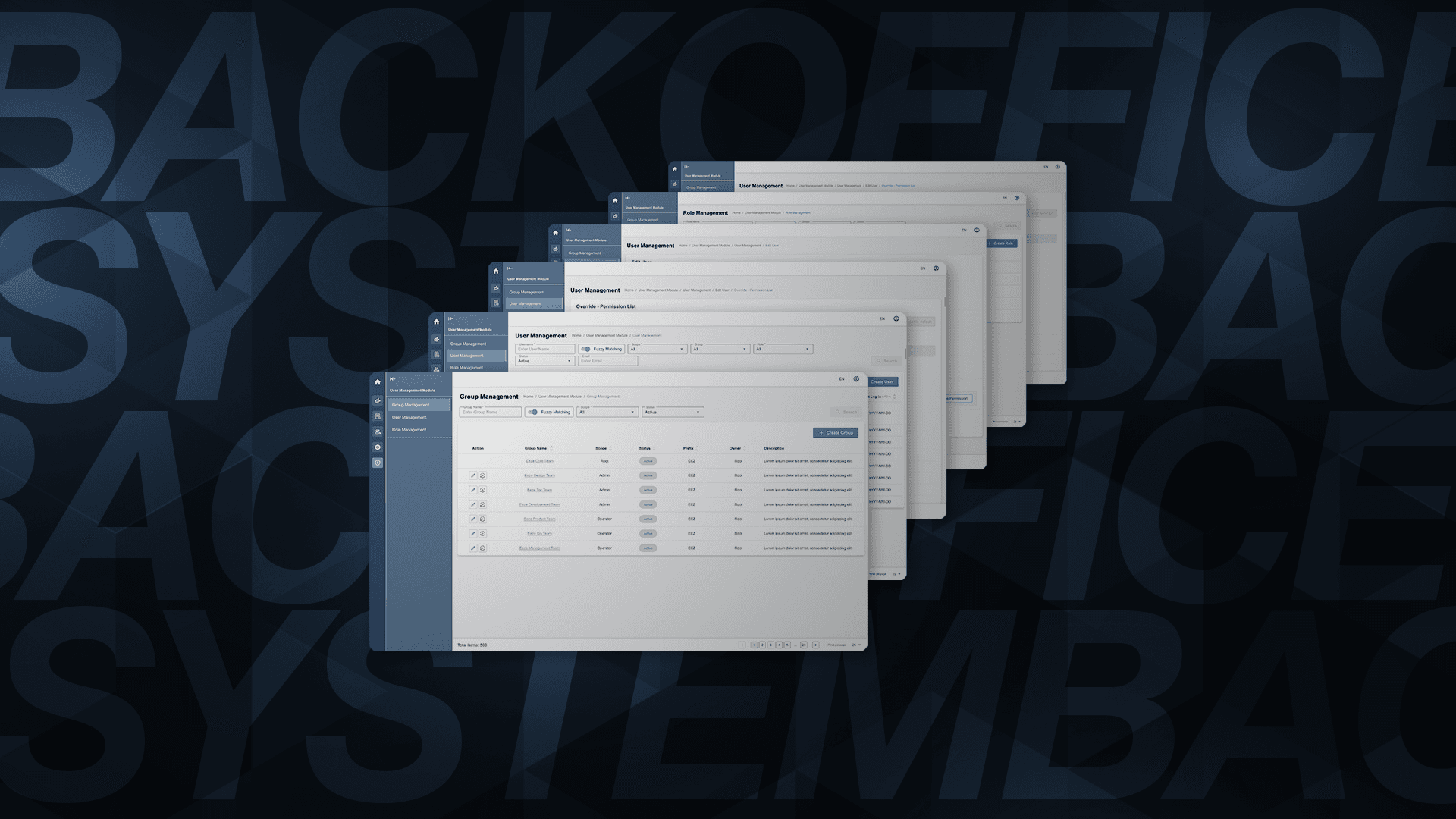
Overview
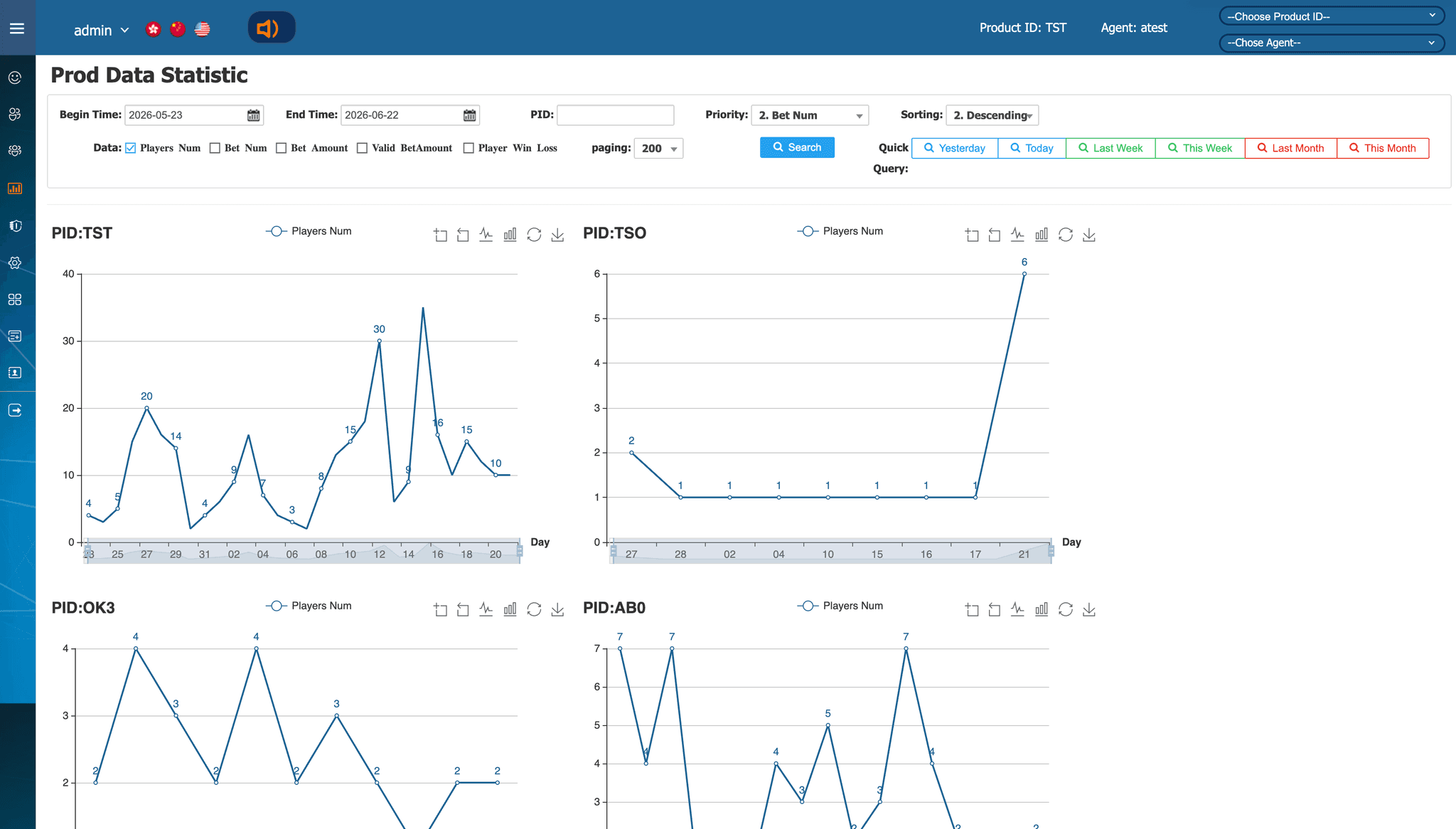
Team Creation's Super Back Office (SBO) was a large operational platform that had evolved over many years.
As the Product team continued adding new requirements, the underlying structure became increasingly complex, making the product harder to extend and creating constraints around scalability and maintainability.
The redevelopment therefore needed to do more than refresh the interface. It required clearer information architecture, more understandable workflows, and reusable interaction patterns that could support continued product development.
I worked across product design, information architecture, interaction design, and design-system foundations, translating complex business and technical requirements into user flows and high-fidelity designs while working closely with Product, Business Analysts, Engineering, and QA.
My contribution
- UX/UI and interaction design
- Information architecture
- User flows and high-fidelity prototypes
- Design principles and interaction patterns
- Design-system foundations
- Figma Variables and semantic design tokens
- Component documentation and Storybook alignment
01 — Redesigning a Product That Had Grown in Complexity
The redevelopment was not simply a visual refresh.
Over time, new product requirements had been added to an existing structure that was not originally designed to accommodate the level of complexity the platform had reached. This made some areas difficult to extend and increased the risk of adding further inconsistency as new features were introduced.
This created a broader design challenge:
How do we make increasingly complex operational workflows clearer and easier to extend without losing the functionality required by the underlying system?
The challenge appeared across several areas:
- User and permission management involved increasingly complex relationships.
- Reporting needed to support different search behaviours without defaulting users to broad searches across a rapidly growing dataset.
- Repeated UI patterns were emerging across modules.
- New features needed reusable foundations rather than another layer of one-off solutions.
Rather than treating each feature independently, I focused on creating clearer structures and reusable interaction patterns that could support the product as it continued to evolve.
02 — Restructuring User Management & Permissions
Making the permission model easier to understand
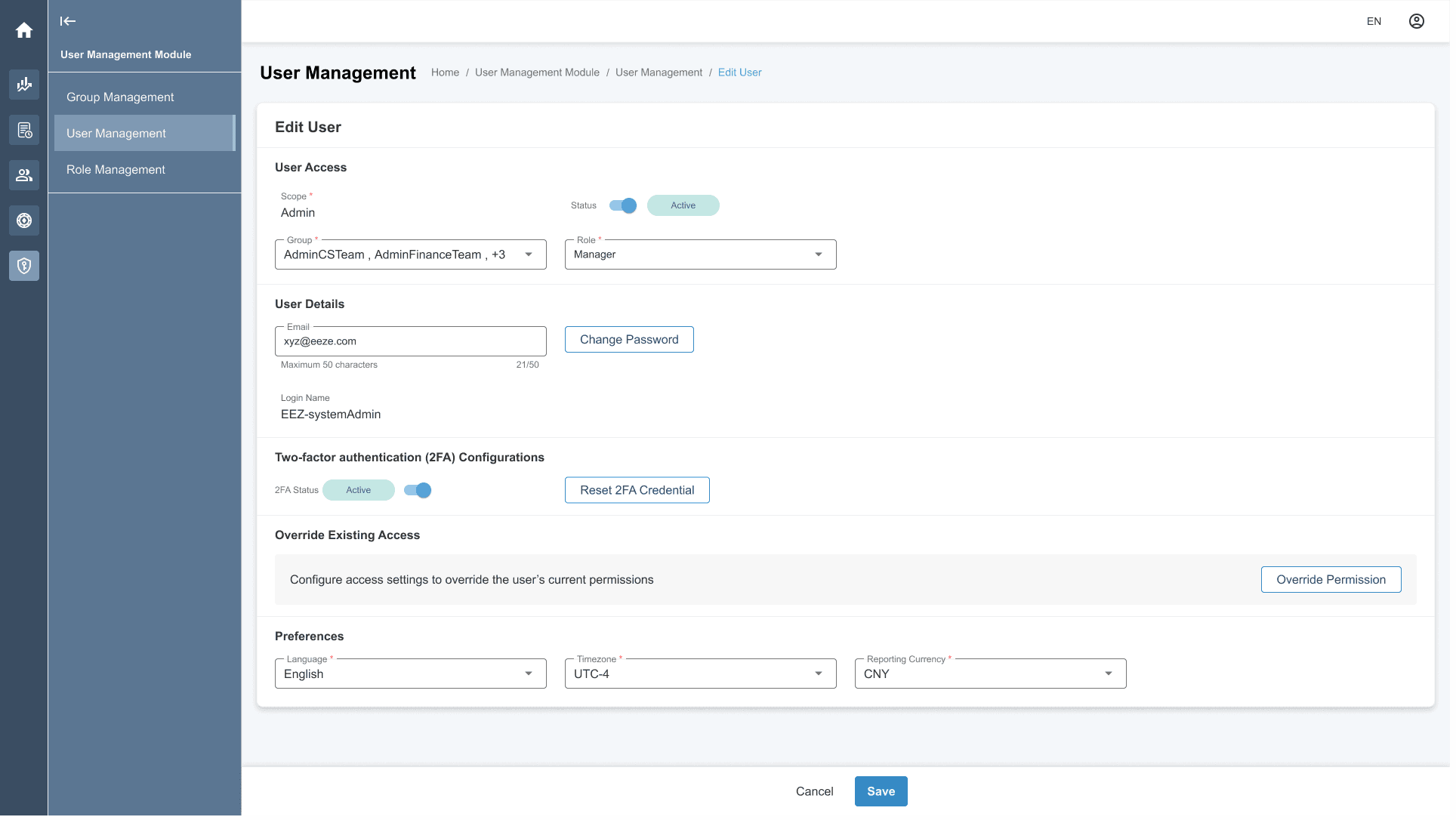
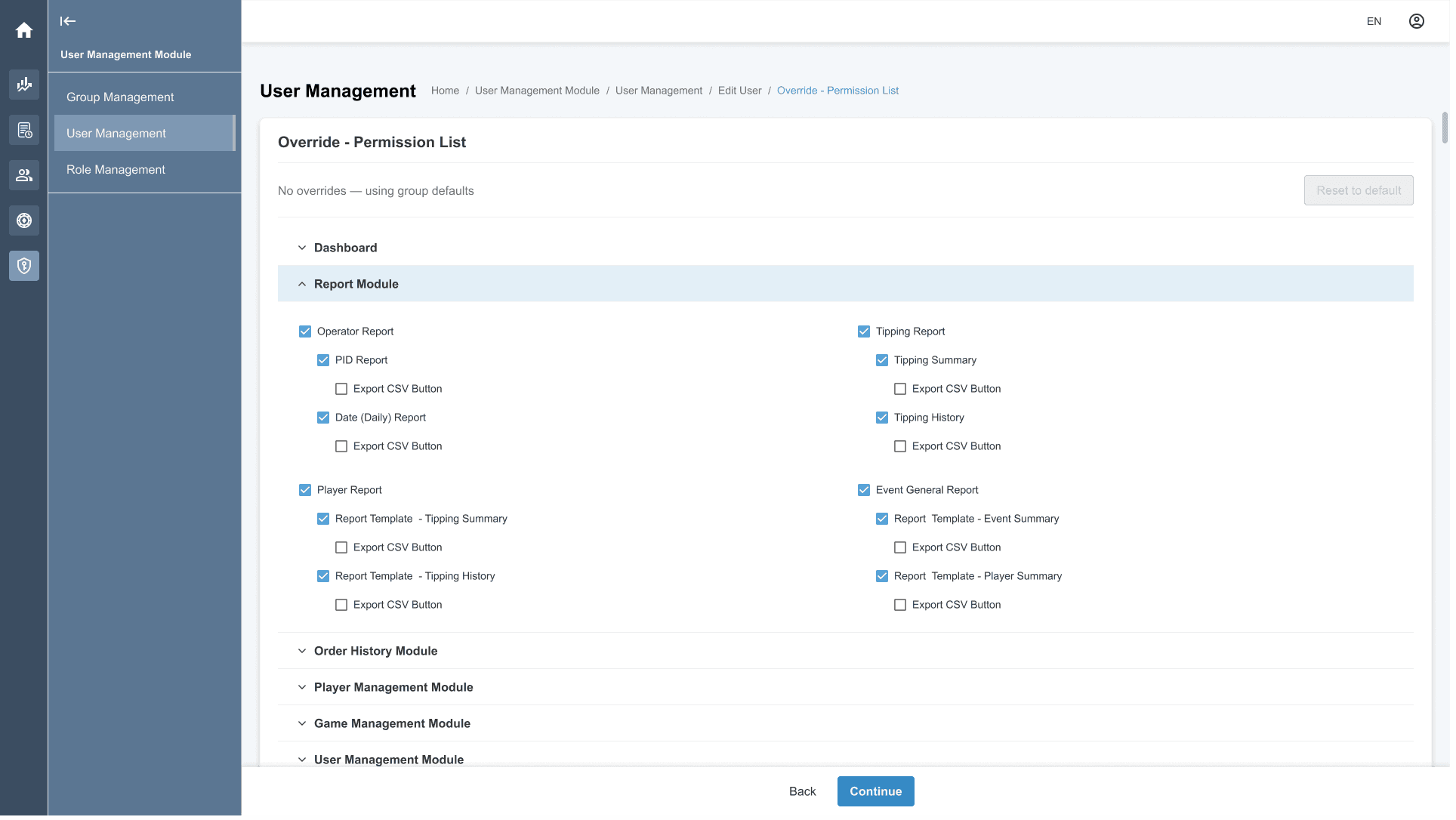
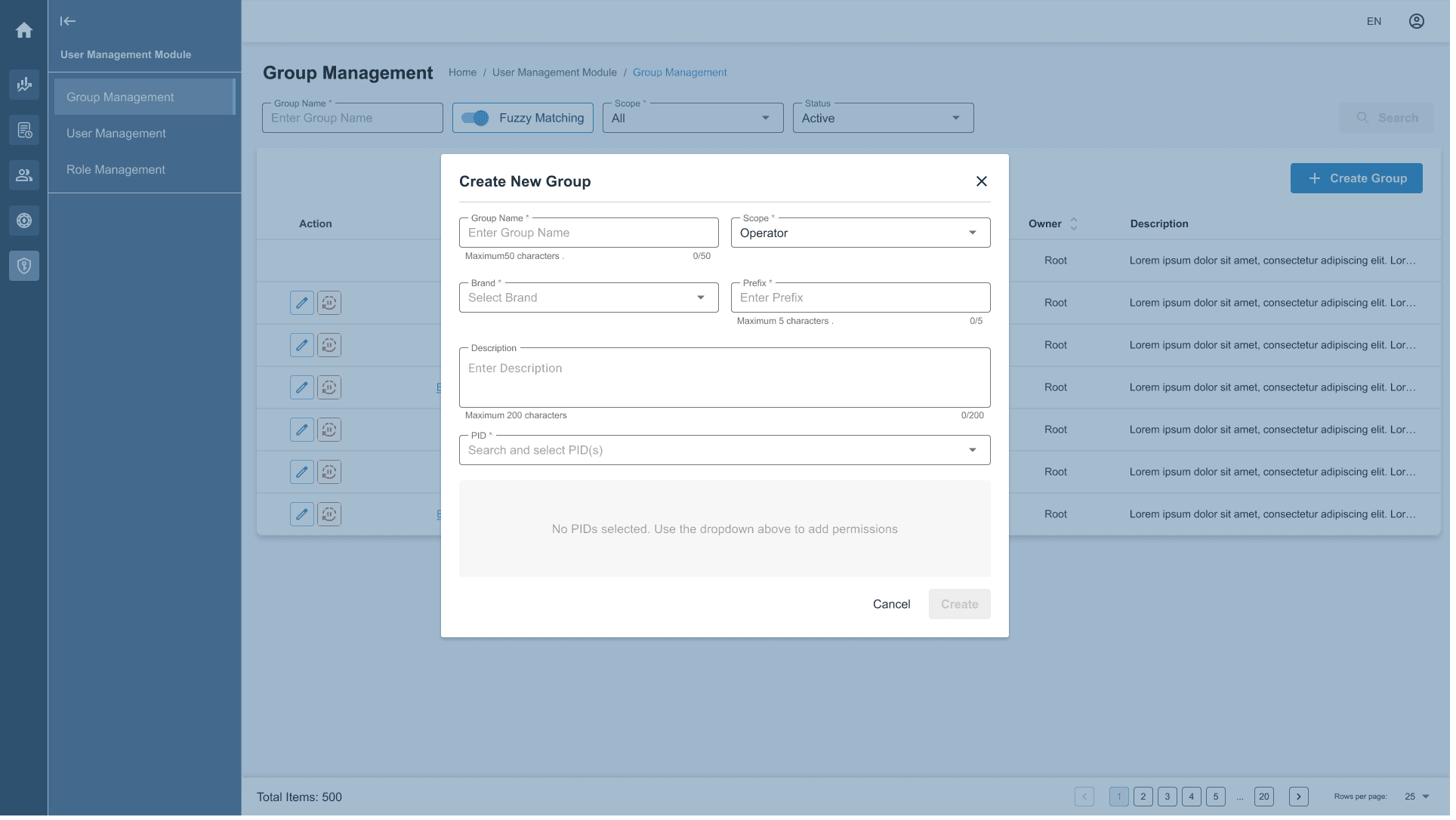
The original system combined user management and permission settings in a way that required users to navigate deeply into configuration to understand what access someone had.
The redevelopment introduced clearer concepts of groups, users, roles, and permissions, but these concepts did not form a simple linear hierarchy.
Their relationships were:
- A Group represents a business unit and contains one or more users.
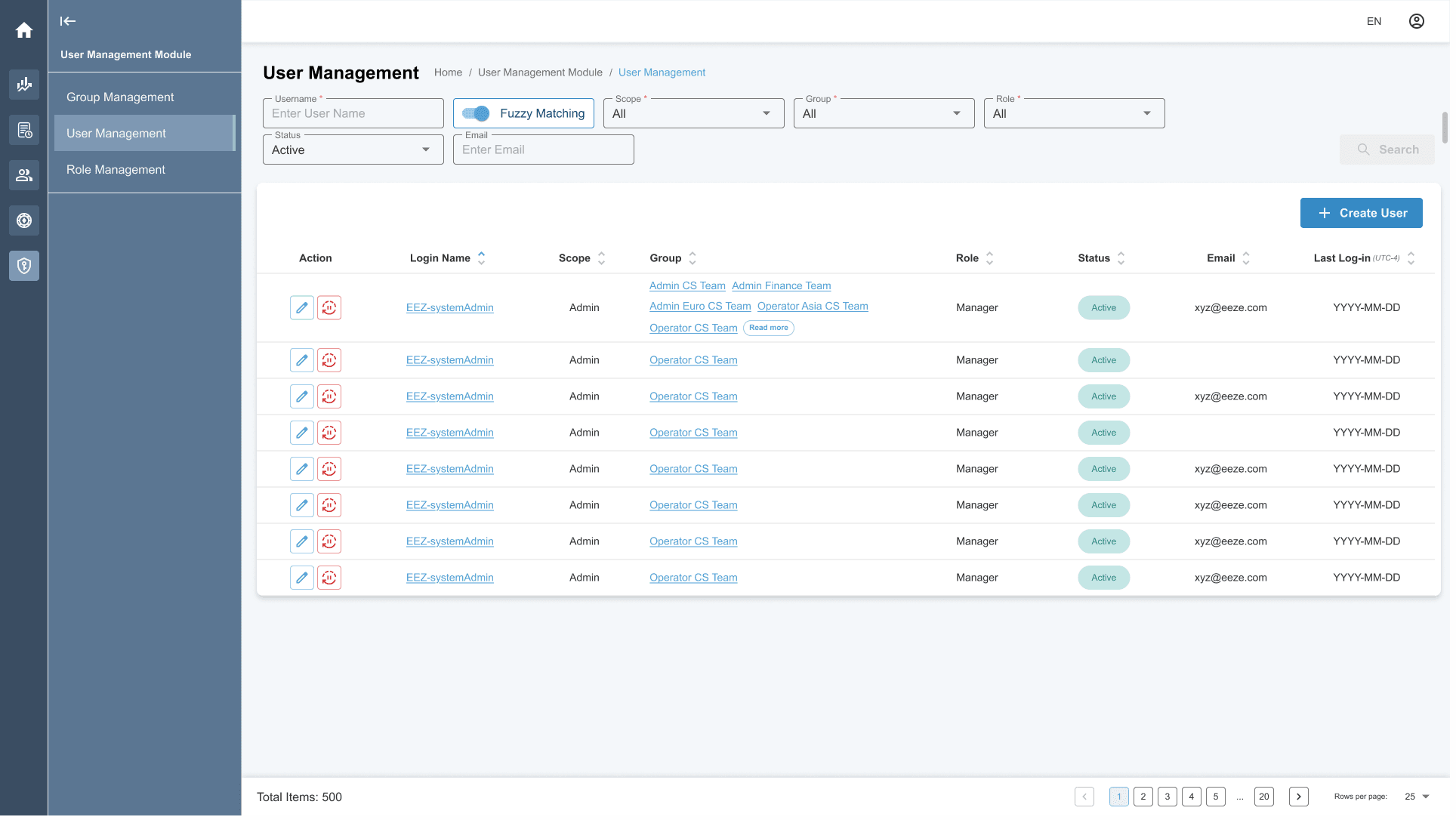
- A User can belong to one or more groups under the same brand.
- A User is assigned a role in User Management.
- A Role contains a defined set of permissions.
- Permissions are individual settings represented through checkboxes.
The design challenge was therefore not simply separating these concepts into different screens. It was helping administrators understand how group membership, assigned roles, and permission settings worked together when managing access.
Clarifying the relationships
A more accurate model is:
User → assigned to → Role
Group → contains → Users
Role → contains → Permissions
Because a user may belong to more than one group, group membership sits alongside the role-and-permission model rather than acting as another step in a single permission hierarchy.
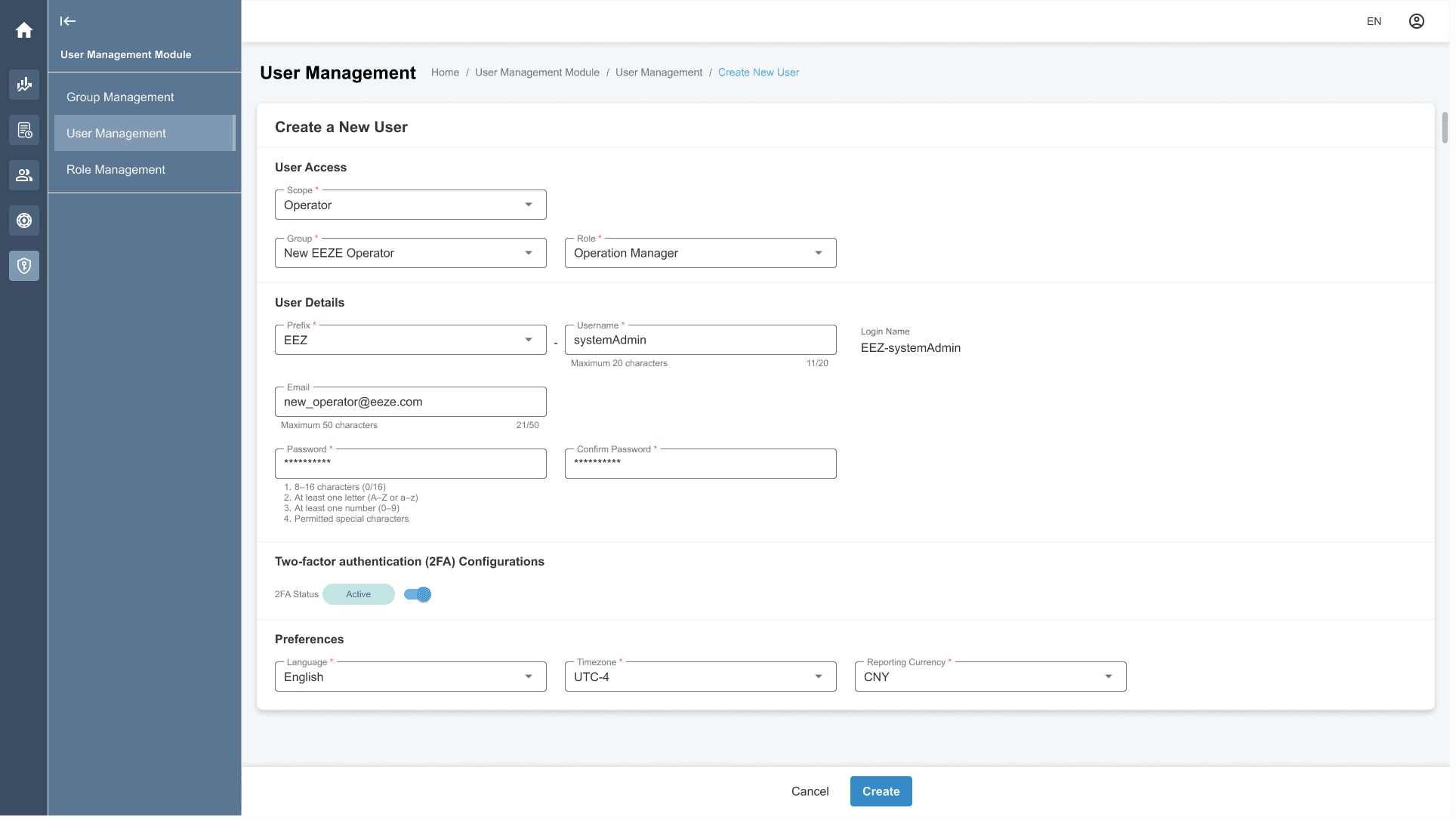
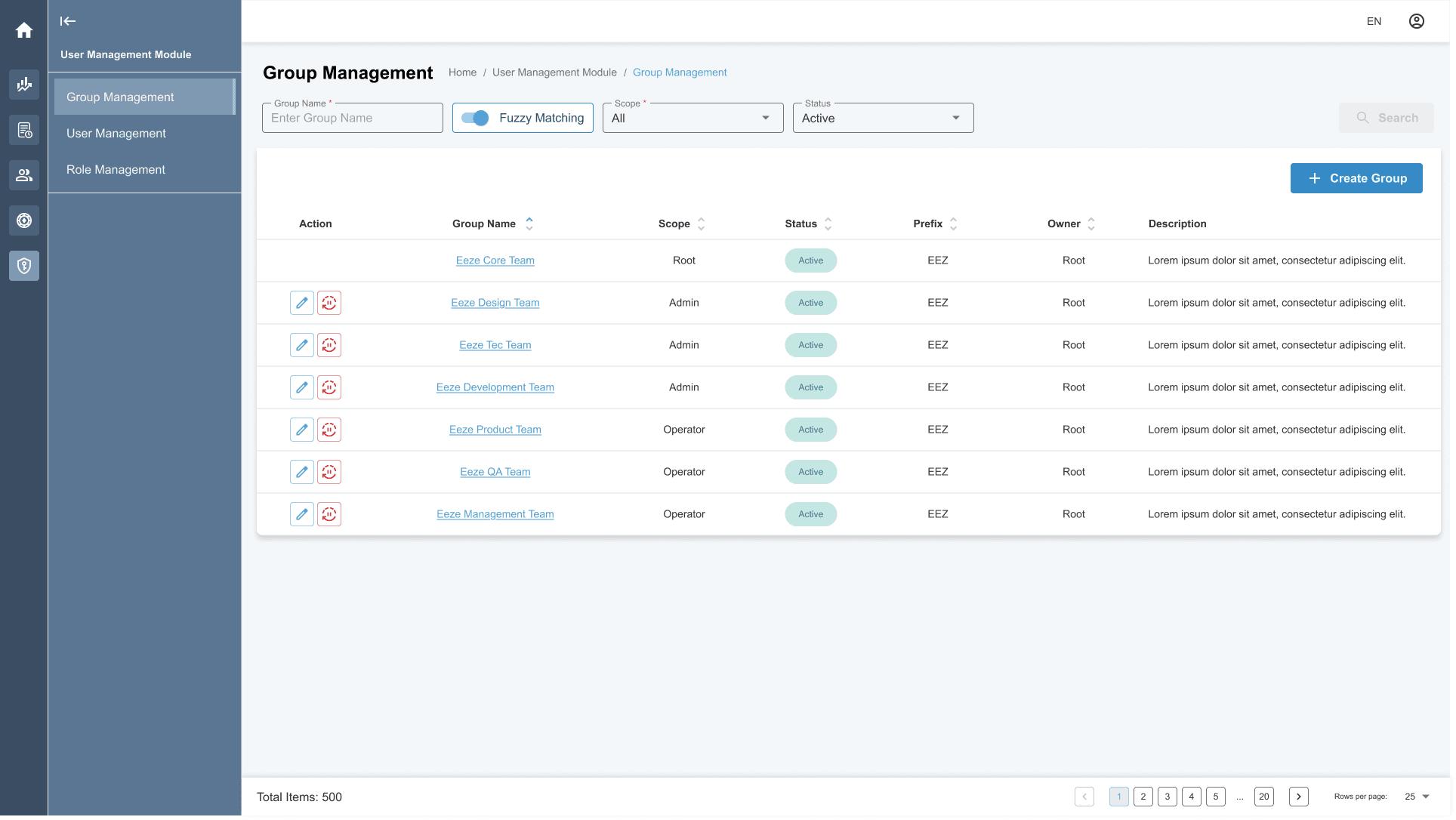
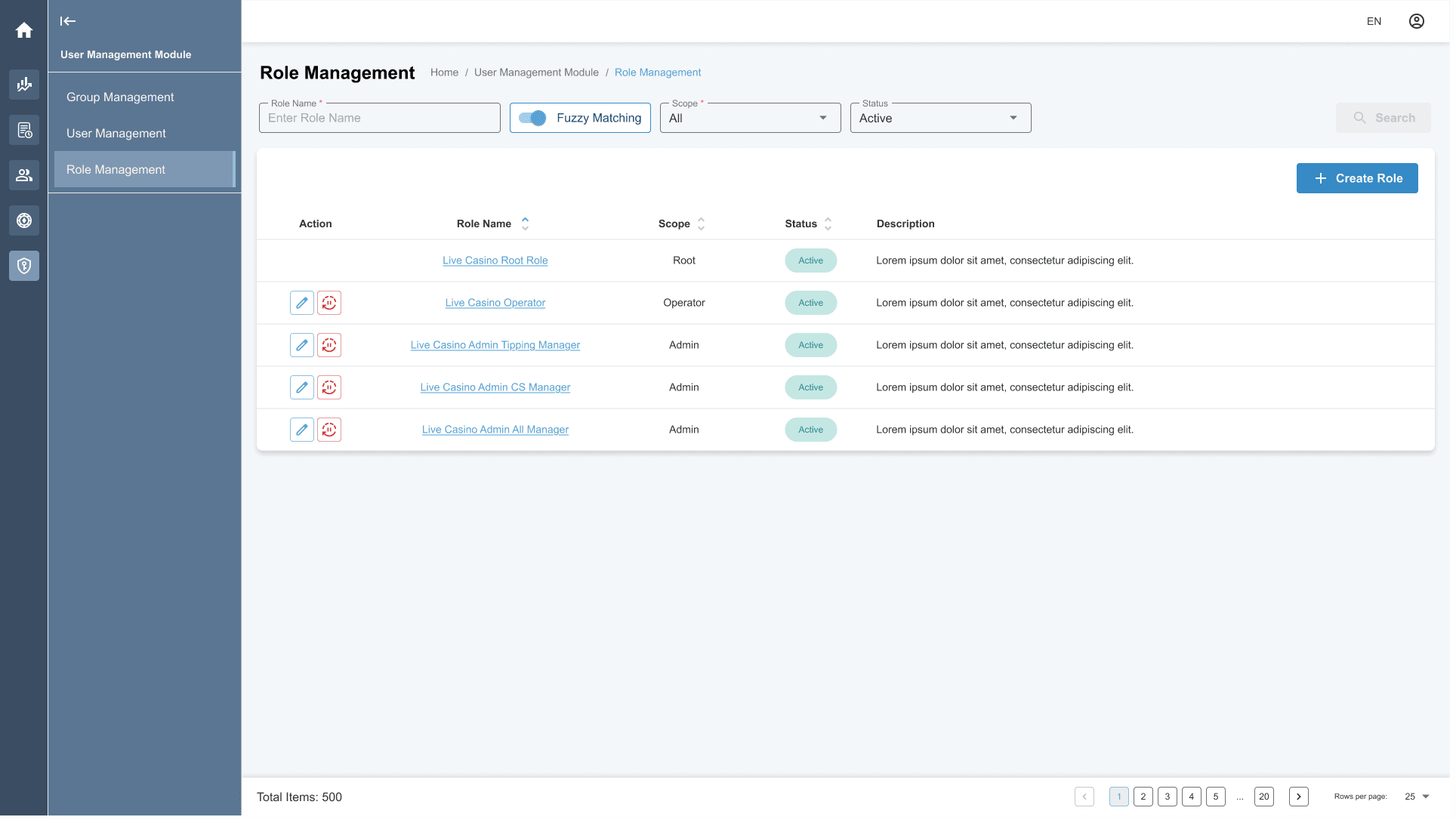
Using progressive disclosure to manage complexity
The permission model contained many settings and relationships. Showing every available permission at once would make the interface difficult to scan and understand.
I used progressive disclosure to reveal deeper configuration only when users needed it.
Administrators could begin with the higher-level user, group, or role context, then inspect the detailed permission settings associated with a role when necessary.
This allowed the interface to expose complexity progressively rather than presenting the entire configuration model at once.
03 — Designing Search Around a Continuously Growing Dataset
The reporting platform handled data that continued to grow every second, at approximately 100–200 new records per second on average.
This scale affected the search experience directly. Internal feedback, including from the IT Manager who would use the system frequently, indicated that searching across all PIDs could result in long loading times because of the volume of data the system would need to query.
The infrastructure itself was outside the scope of my role. My responsibility was to understand the user-facing implication of that constraint and design a search model that supported realistic search behaviour without encouraging unnecessarily broad queries.
Understanding likely search behaviour
Internal feedback suggested that users would often know either:
- the relevant PID they wanted to investigate, or
- a more specific record or identifier they were looking for.
A PID represents an operator identifier, and a single operator can have multiple PIDs in the system.
This led to a design question:
How might we prevent broad all-PID searches from causing unnecessary backend load while preserving direct investigation?
Introducing two search templates
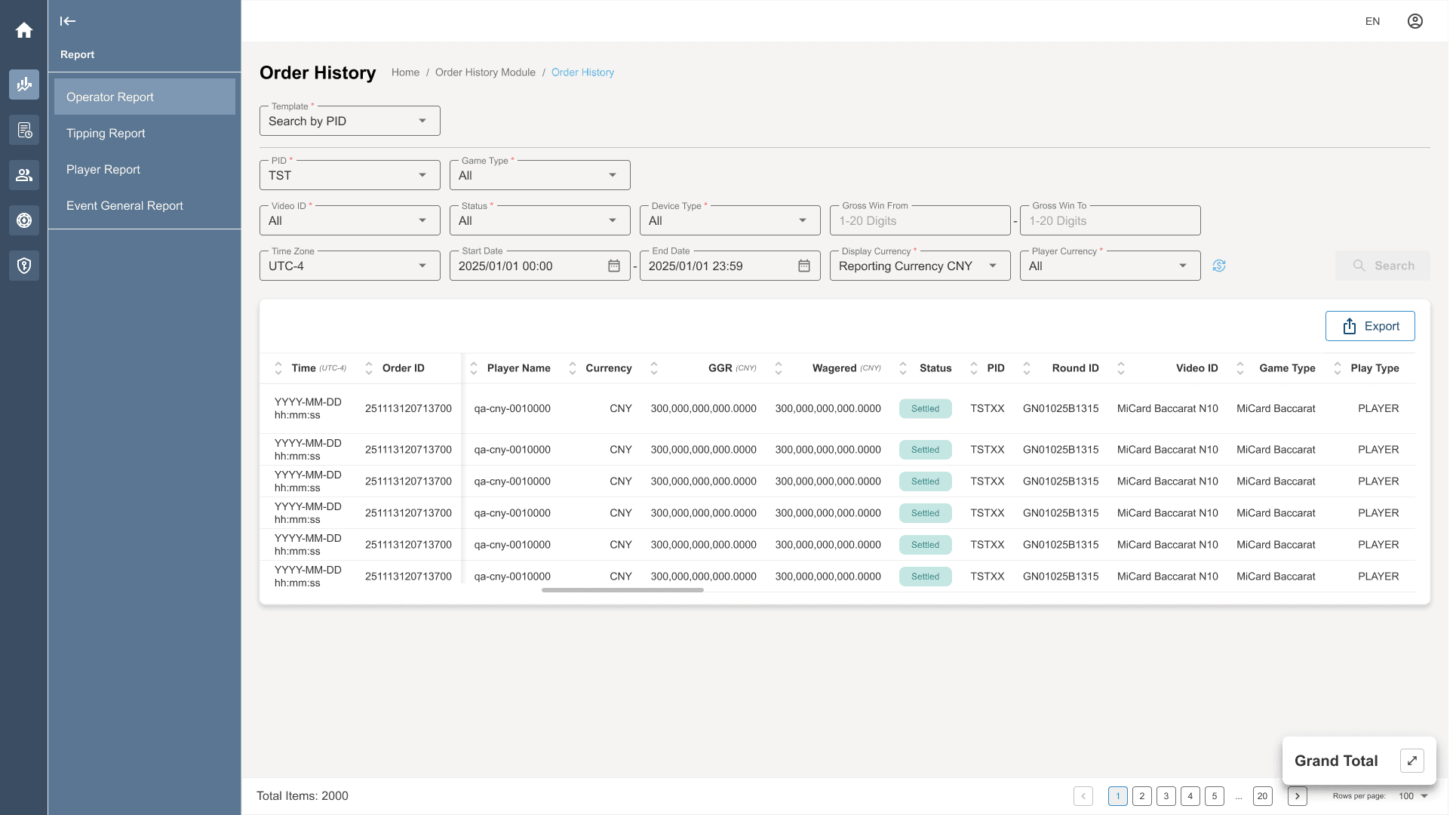
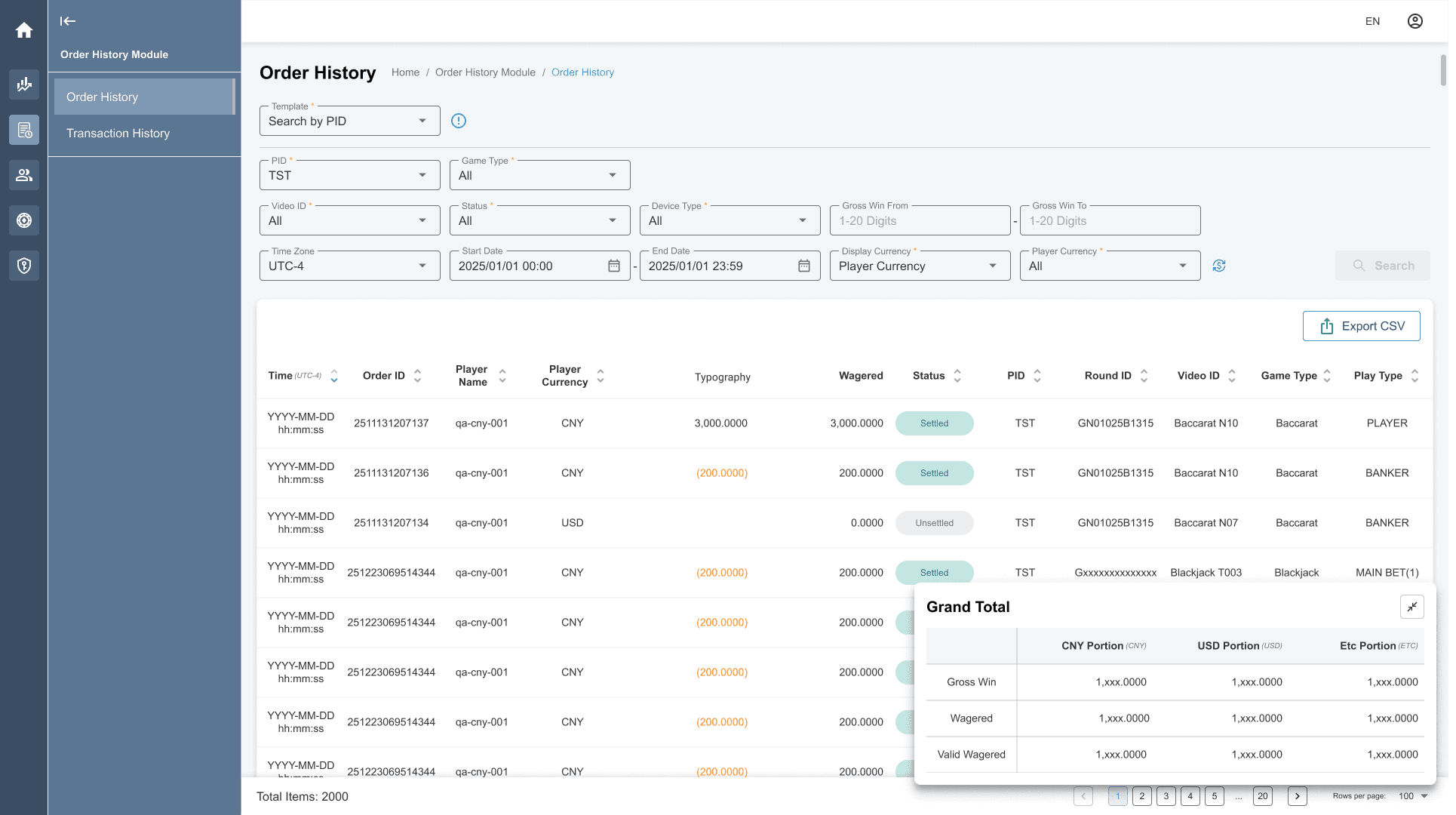
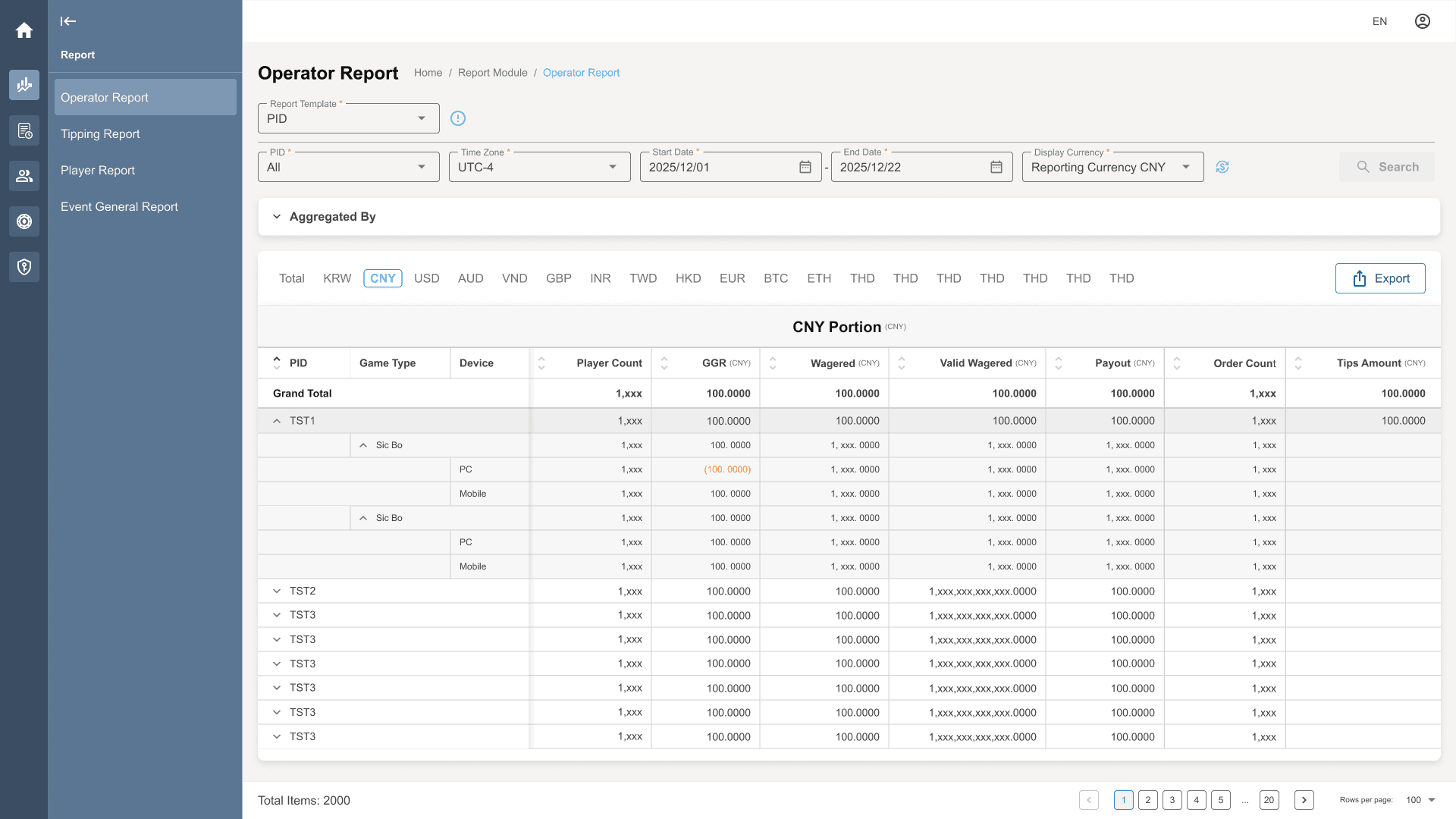
For this reporting workflow, I introduced two search templates:
Search by PID Guide users to select the relevant PID scope before running the search, rather than querying all PIDs by default.
Search a specific record Support targeted searches using identifiers such as Order ID, Transaction ID, or Player Name when the user already knows what they are looking for.
The two modes were presented through a dropdown, with an information icon providing further explanation about when to use each option.
The solution did not change the underlying data infrastructure. It translated the system constraint and internal user feedback into a clearer search interaction that encouraged appropriately scoped queries.
04 — Turning Repeated Patterns into a Design System
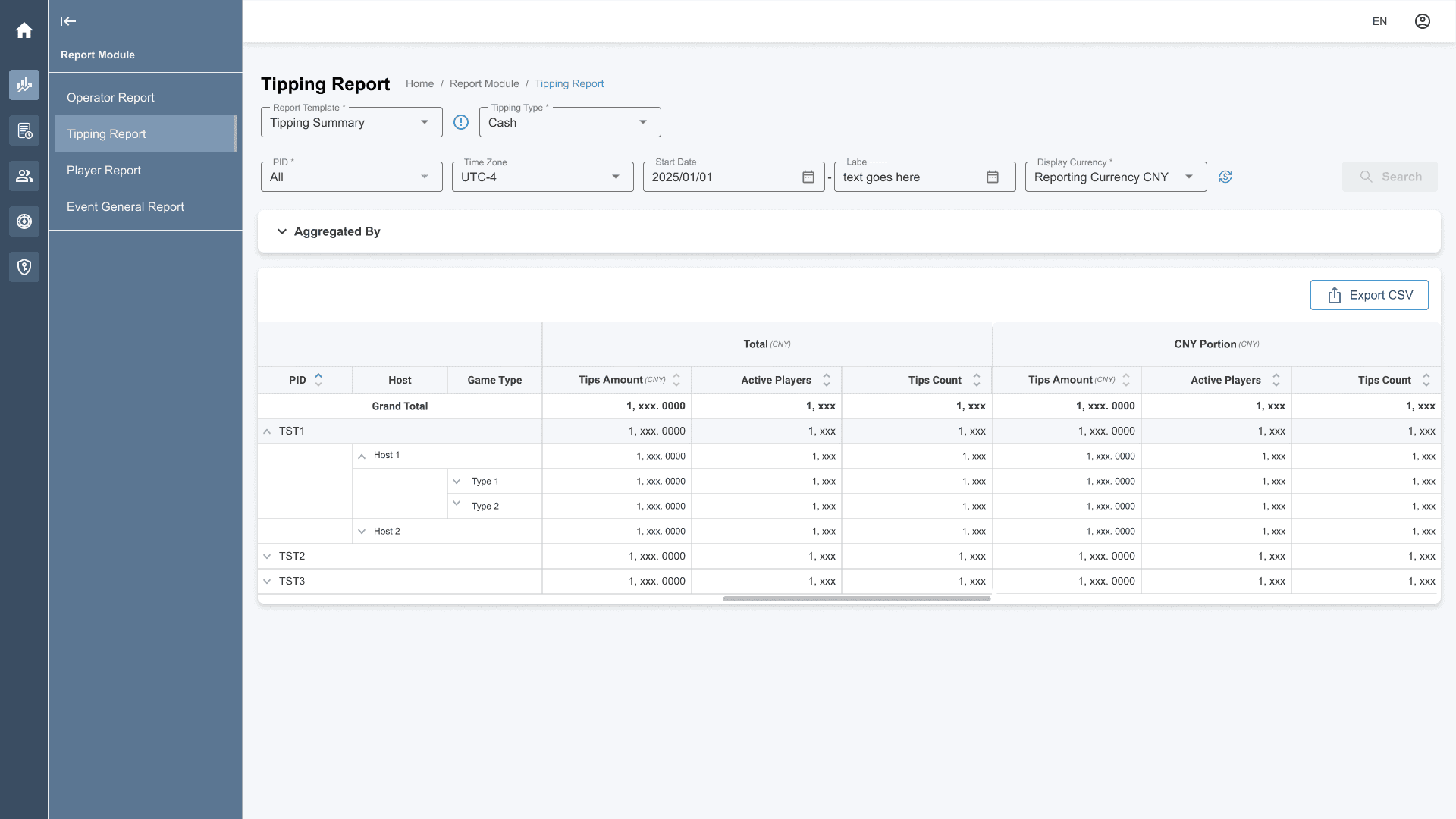
As new modules were developed, recurring UI patterns and interaction structures began to emerge.
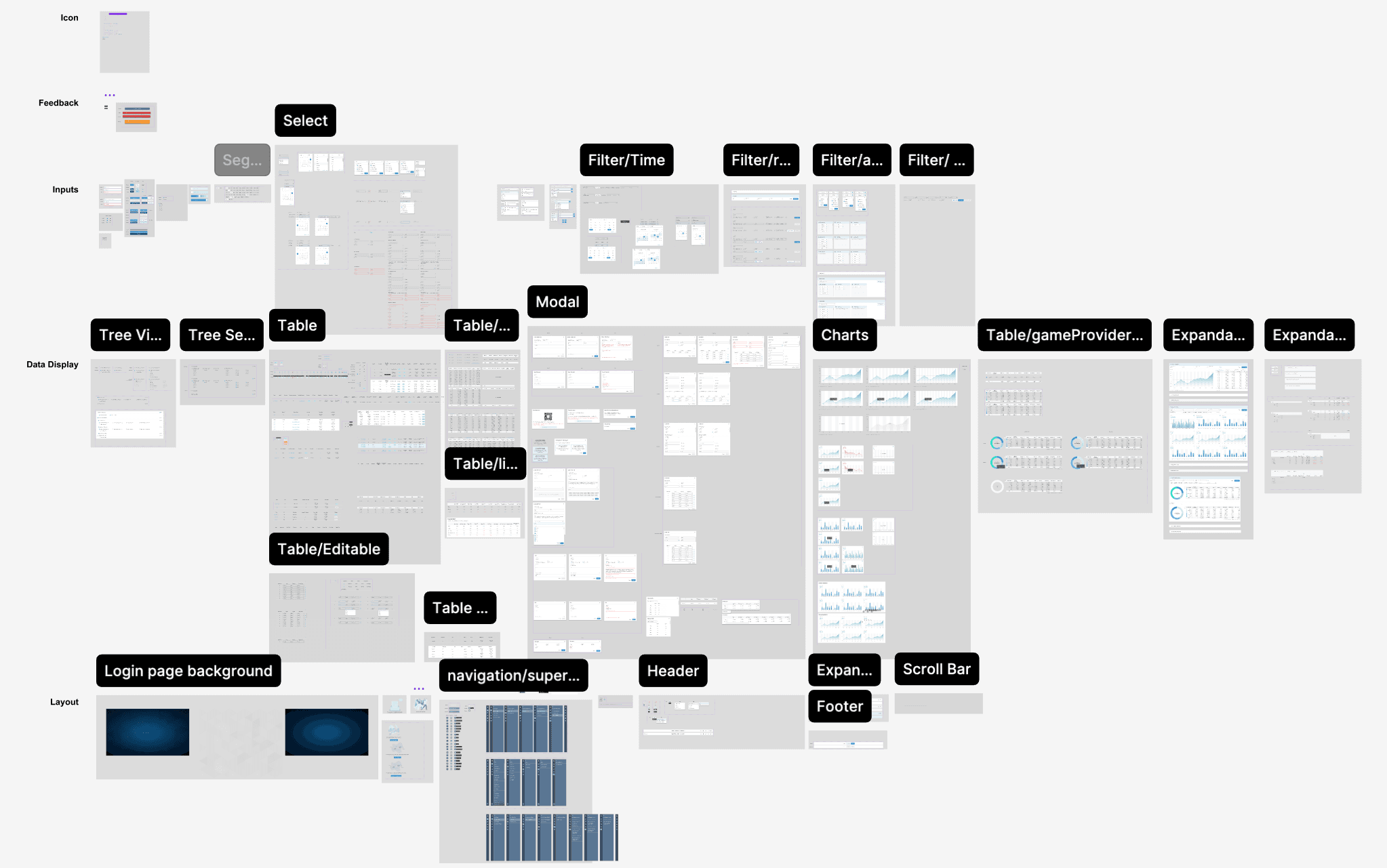
Rather than designing each feature independently, I established reusable foundations in Figma that could support continued product development.
The design structure followed an Atomic Design approach, creating a shared hierarchy for components and their relationships.
Each component was documented with its relevant states and variants.
Establishing shared foundations
The design system was built from scratch around:
- reusable components (component states and variants)
- design tokens (semantic and primitive)
- consistent naming
- documented usage
The objective was not simply to create a component library. It was to establish a common design language that could be applied consistently as more modules entered development.
05 — Aligning Design with Engineering
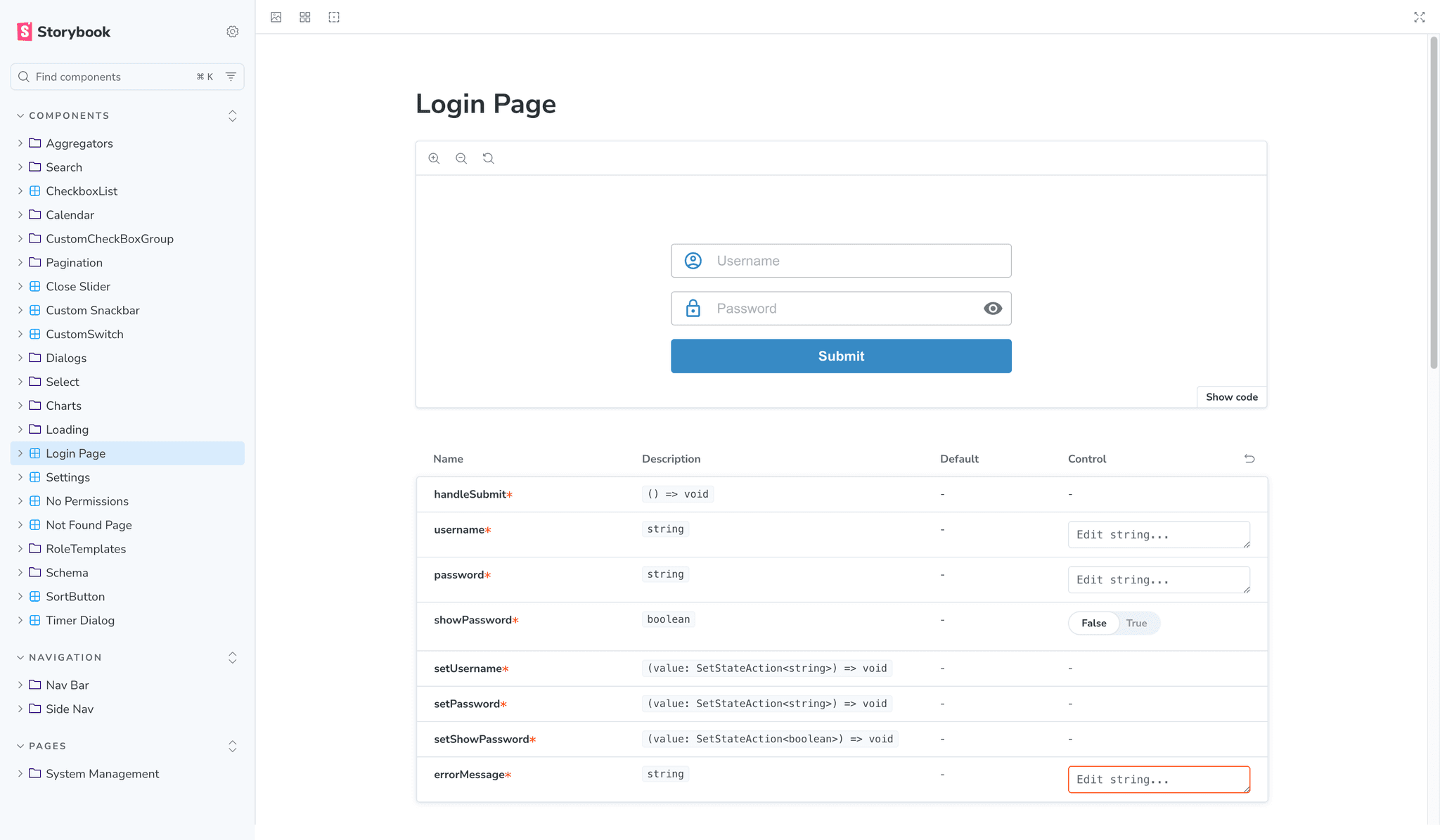
The Engineering team was building the component library in Storybook alongside the Figma foundations.
We started the structure from scratch and aligned the naming of design tokens and component structures between Design and Engineering.
Complete one-to-one parity between Figma and Storybook was not always practical, particularly for more complex components.
Instead, larger components were managed through a mapping approach that allowed Design and Engineering to maintain a shared understanding of how the systems related to each other.
This created a practical foundation for ongoing collaboration rather than treating the design system as a separate visual library.
Outcome
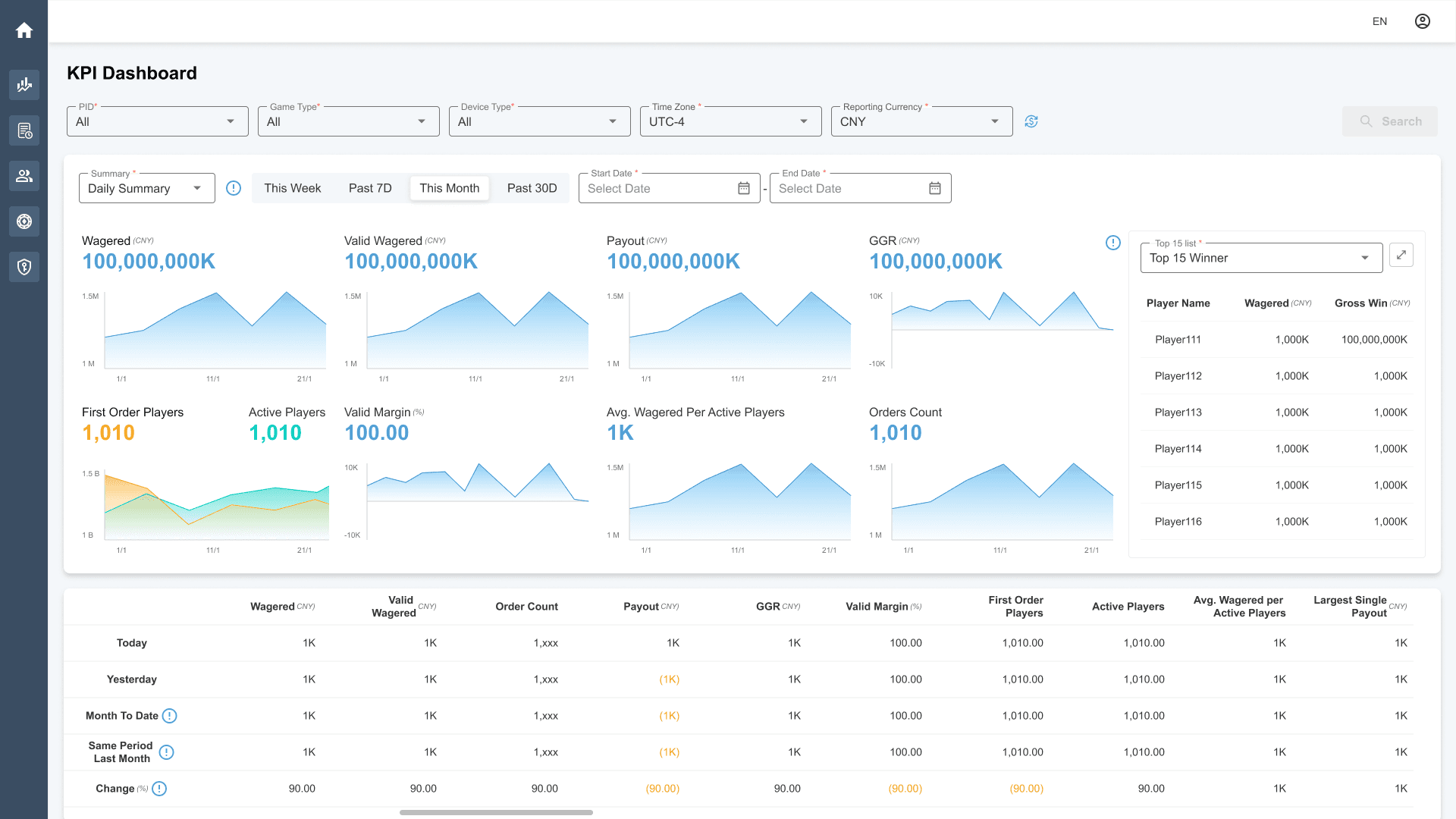
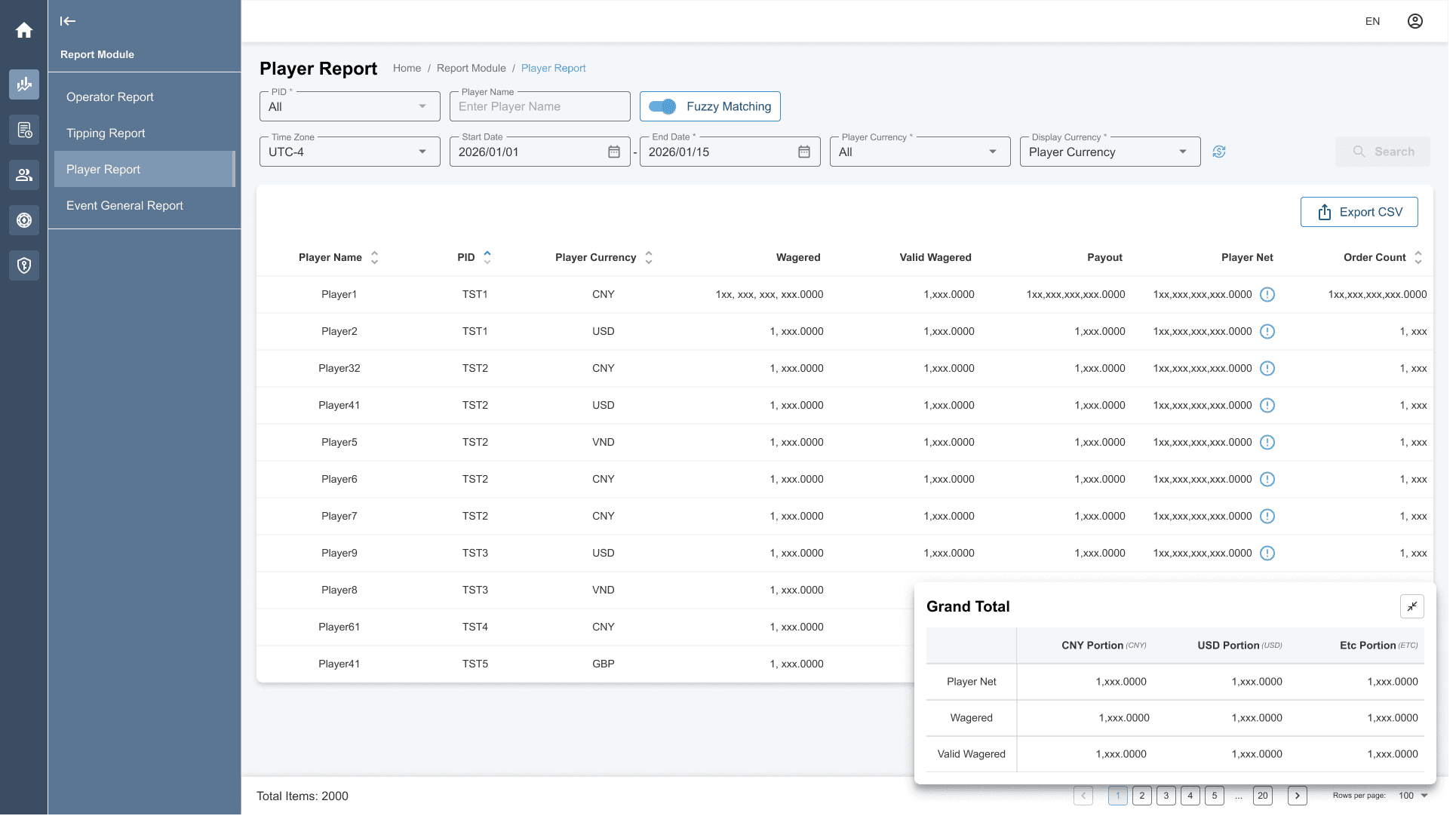
The redesigned Super Back Office was released in late June 2026, covering:
- Dashboard
- Report
- Order History
- Player Management
- Game Management
- User Management
The release brought redesigned workflows across core operational areas while establishing reusable design and component foundations for continued product development.
The work also established a shared design-system structure between Figma and Engineering's Storybook implementation, giving Design and Engineering a more consistent foundation for subsequent features.
Reflection
The value of the work came not from individual screens, but from reducing accumulated complexity and introducing enough structure to make future development more manageable.
The project reinforced that enterprise product design often means working between business requirements, technical constraints, and user needs rather than optimising for any one of them in isolation.
It also changed how I think about scalability. A product does not become easier to extend simply because its UI components are reusable. The underlying information architecture, interaction patterns, and relationship between Design and Engineering also need enough structure to accommodate change.
For SBO, that meant moving beyond redesigning individual features and establishing clearer foundations for a product whose requirements had grown significantly over time.